Machine-translated from Danish
How to reset a forgotten password
Purpose
Section titled “Purpose”Choose a new password when you can’t remember the one you have.
Prerequisites
Section titled “Prerequisites”You have access to the email address your account was created with. If you remember your current password, it is easier to change it under Settings.
- Go to app.lcabyg.dk, and click Forgot your password? below the fields.
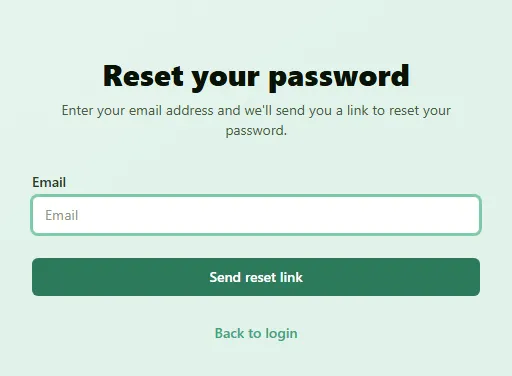
- Type your email address, and click Send reset link. If there is a security check, complete it first.
- Open the email from LCAbyg, and click the link. The link is valid for 1 hour.
- Type your new password in New Password, and again in Confirm New Password. It must have
at least 8 characters, with at least one upper-case letter, one lower-case letter, one digit and
one of the characters
@ $ ! % * ? &. - Click Reset Password.
Result
Section titled “Result”The page says Password Reset Successful. Click Go to Login, and sign in with the new password. At the same time you are signed out everywhere else you were signed in.
If it doesn’t work
Section titled “If it doesn’t work”- No email arrives. The page answers the same whether or not an account exists for the address, so check that you typed the address your account was created with. Also look in your spam or junk folder.
- The link doesn’t work. If more than an hour has passed, or you have already used the link, the page says the link may have expired or be invalid. Click Request New Reset Link, and start over.
- You were never asked to choose a password. If a colleague created you as a user and the welcome email has expired, you can use this route too. An owner of your organization can also resend the invitation or give you a temporary password with New password under Organization.