
Machine-translated from Danish
Find your way around: projects, library and the project menu
Purpose
Section titled “Purpose”Give you an overview of how LCAbyg’s two menus are structured, so you know where to look for functions.
Prerequisites
Section titled “Prerequisites”You’re logged in to LCAbyg.
Two menus, not one
Section titled “Two menus, not one”LCAbyg has two different menus, and which one you see depends on whether you have a project open.
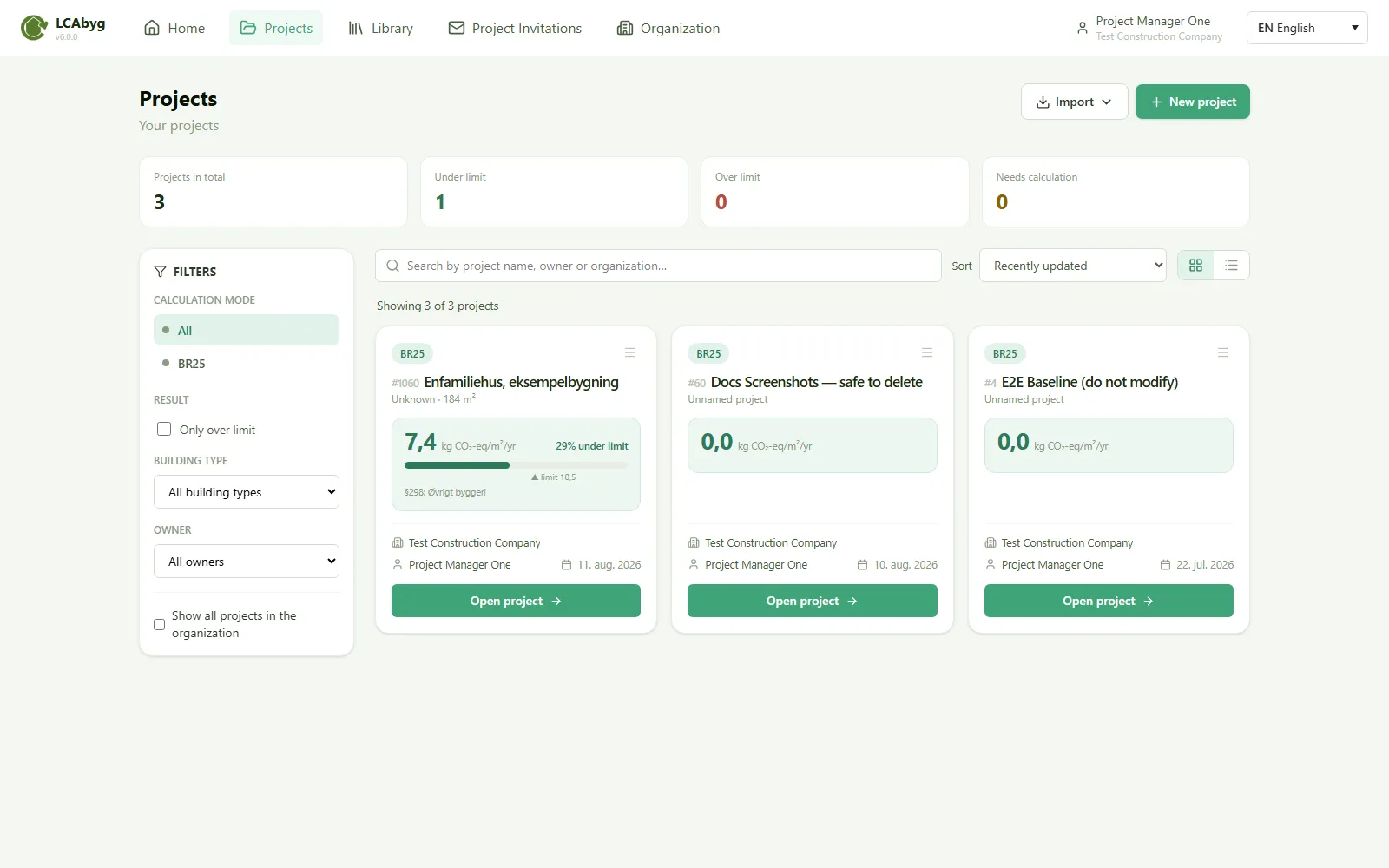
The top menu
Section titled “The top menu”The top menu is always visible and leads to everything that lives outside a single project:
| Icon | Item | Leads to |
|---|---|---|
| House | Home | The start page |
| Folder | Projects | The project overview: all projects you have access to |
| Bookshelf | Library | Official, organization and personal libraries with constructions and building products |
| Envelope | Project invitations | Invitations you’ve sent or received |
| Building | Organization | Your organization’s members and settings |
| Your name | Account menu | Dropdown with Settings (profile, password, organization, delete account), News (what’s new in LCAbyg) and Log out |
The project menu
Section titled “The project menu”The project menu appears when you open a project. It sits on the left and leads around the project itself:
- General information: the project’s core data and versions
- Building and operation: the building’s core data, usages, calculation settings and operational energy
- Building model: the building’s own constructions and building products
- Construction site: the construction site’s consumption (stage A5)
- Transport: default values and transport for individual building products
- Special conditions: anything that doesn’t fit elsewhere
- LCA calculations, results: overview, result table, stages, hotspot, materials and more
- Reports: under development
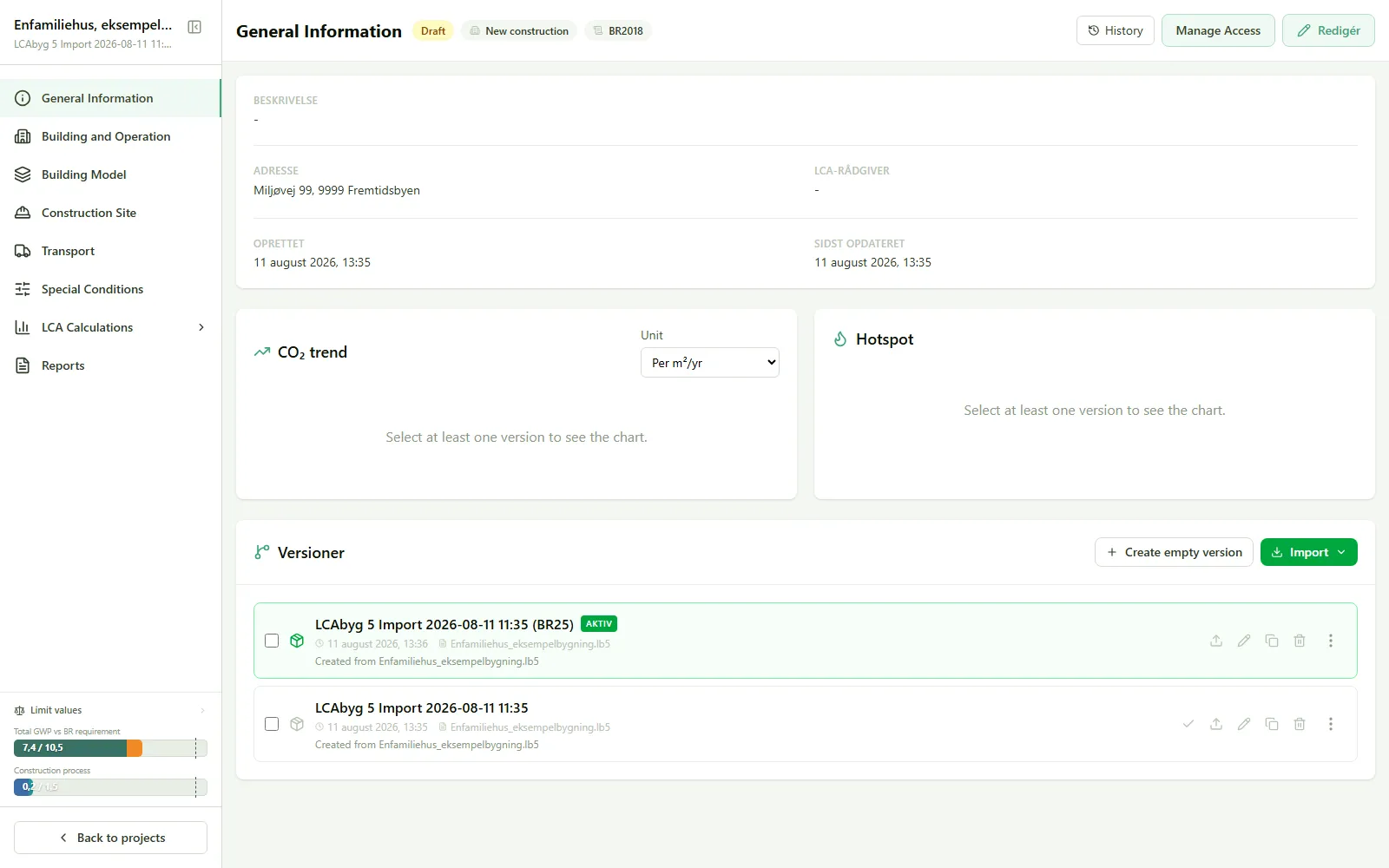
If you have no project open, you’ll only see the top menu. The project menu only appears once you’re inside a project.
Result
Section titled “Result”You can now tell the difference between “outside a project” (the top menu) and “inside a project” (the project menu), and know where the eight project pages lead.