
How to create your own building product
Purpose
Section titled “Purpose”Create a building product that doesn’t already exist in any library, e.g. from an EPD you’ve received yourself.
Prerequisites
Section titled “Prerequisites”You have edit access to the library the building product should be created in (organization or personal).
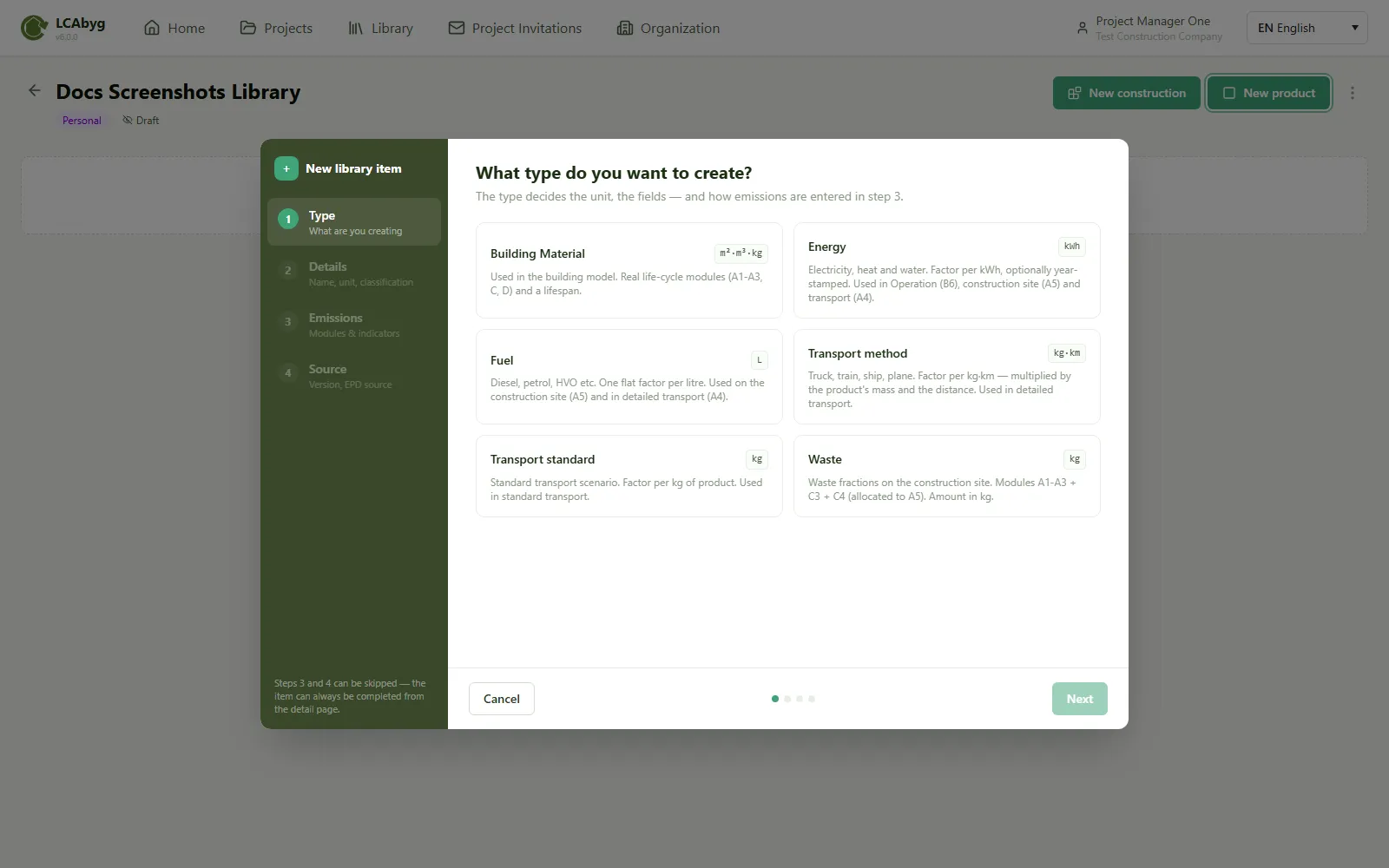
The New library item wizard has four steps:
-
Type: choose what you’re creating. The type determines the unit and how emissions are entered in step 3:
Type Used for Building material The building model, real life cycle modules (A1-A3, C, D) and lifespan Energy Electricity, heat, water Fuel Diesel, petrol, HVO etc. Transport method Truck, train, ship, plane Transport standard Standard transport scenario Waste Waste fractions -
Details: name, unit, classification.
-
Emissions: emissions per declared unit, read directly from the EPD. Choose between a single fixed factor or factor per year (interpolated linearly between years).
-
Source: version and EPD source.
Steps 3 and 4 can be skipped and completed later from the building product’s detail page.
Result
Section titled “Result”The building product now exists in the library, and can be used in building models and constructions just like other building products.